
Funny Exchange – Download APK, Login, Registration & Platform Features

What Is Funny Exchange and How Does the Platform Work?
Funny Exchange is an online platform that provides users with access to digital entertainment and various interactive features through a website or compatible mobile devices. The platform is designed to offer convenient navigation, accessible account options, and a user-friendly interface. People searching for Funny Exchange can explore information about its features, registration process, login options, and mobile accessibility before using the platform.
The Funny Exchange platform focuses on providing a straightforward browsing experience. Its interface allows users to explore different sections, understand available features, and manage their account through the provided options. Users can access the website using a compatible browser and a stable internet connection.
How Does Funny Exchange Work?
Funny Exchange generally follows a simple account-based access process. Users can visit the platform website, review the available information, and follow the registration instructions if they want to create an account. Existing users can use the login option to access their accounts with the required credentials.
Once logged in, users can explore the available platform sections and account features. The overall experience may depend on device compatibility, internet speed, and the services currently offered by the platform.
Key Highlights of Funny Exchange
Simple Navigation: A straightforward interface helps users find different website sections.
Account Access: Registration and login options provide account-based access.
Mobile Accessibility: Users can explore the website through compatible smartphones and browsers.
Platform Features: Different sections allow visitors to understand the available services.
Account Management: Users can review relevant account information through available settings.
Customer Assistance: Support options can help address general account and technical questions.
Before using Funny Exchange, visitors should review the platform’s terms and conditions, privacy policy, eligibility requirements, and applicable local laws. Always protect your personal information and avoid sharing account credentials with unauthorized individuals.
Overall, Funny Exchange aims to provide an accessible online platform experience with convenient navigation and account-related features. Users should review the available information carefully to understand how the platform works.
Funny Exchange APK Download for Android Devices
Funny Exchange APK is designed for users who want to explore the platform through their Android smartphones. Mobile accessibility makes it convenient to visit the website, navigate different sections, and access available account features. Users searching for Funny Exchange APK Download can learn about device compatibility, installation requirements, and important safety considerations before downloading an application.
The Funny Exchange Android experience may depend on the device model, Android version, browser compatibility, and internet connection. Before installing any APK file, users should verify that it comes from an official and trusted source. Avoid downloading unknown files or applications from suspicious third-party websites, as they may contain harmful software or compromise personal information.
How to Download Funny Exchange APK
Users interested in accessing Funny Exchange on Android devices should follow these general steps:
Visit the verified Funny Exchange website using a secure browser.
Look for the official Android application download option, if available.
Check the application details and Android compatibility requirements.
Download the APK file only from a trusted source.
Review the requested permissions before installation.
Follow the installation instructions provided by the verified source.
Open the application and follow the available account access instructions.
Funny Exchange APK Compatibility and Requirements
Before downloading the Funny Exchange App, consider the following factors:
Android Compatibility: Check whether your smartphone supports the application’s required Android version.
Storage Space: Keep sufficient free storage available for downloading and installing the application.
Internet Connection: Use a stable internet connection to avoid interrupted downloads.
Application Permissions: Review requested permissions and avoid granting unnecessary access.
Security Settings: Keep Google Play Protect and other available security protections enabled.
Benefits of Mobile Accessibility
Accessing Funny Exchange through a compatible mobile device can make website navigation more convenient. Users can browse available sections, review account information, and explore platform features without needing a desktop computer.
Important Safety Information: APK availability, supported Android versions, and installation requirements should always be confirmed through the verified platform website. Do not install modified APK files or provide sensitive account information to unauthorized sources. Check applicable age restrictions, local laws, and platform terms before accessing any services.
How to Register a New Account on Funny Exchange
Creating a new account on Funny Exchange is an important step for users who want to explore the platform and understand its available features. The registration process generally involves visiting the official website, reviewing the account requirements, and providing the necessary information through the available registration option. A simple registration interface can make the account creation experience more convenient for new visitors.
Before starting the Funny Exchange Registration process, users should ensure they are visiting the correct website and understand the platform’s terms, privacy policy, and eligibility requirements.
Steps to Register on Funny Exchange
Follow these general steps to understand the Funny Exchange account registration process:
Visit the Official Website: Open a secure browser and visit the verified Funny Exchange website.
Find the Registration Option: Look for the Sign Up or Register option on the homepage.
Enter Required Information: Provide the details requested in the registration form.
Verify Your Information: Complete any verification process required by the platform.
Review Terms and Conditions: Read the platform policies and privacy information carefully.
Complete Registration: Submit the form if you meet the eligibility requirements and all details are accurate.
Secure Your Account: Use a strong, unique password and keep your login information private.
Information Required for Funny Exchange Registration
Depending on the platform’s registration requirements, users may be asked to provide certain details.
Mobile number or email address
Basic account information
A secure password
Verification details, if required
Acceptance of applicable terms and conditions
Only provide information that is necessary and requested through the verified website. Never share OTPs, passwords, or other confidential details with unknown individuals.
Important Things to Check Before Creating an Account
Before completing Funny Exchange Sign Up, consider checking the website’s authenticity, minimum age requirements, privacy policy, and applicable local regulations. Make sure the registration page uses a secure connection and avoid accessing account forms through suspicious links or advertisements.
Common Funny Exchange Registration Problems
Sometimes users may experience difficulties during registration. Common issues include incorrect information, verification delays, network interruptions, or temporary website errors. Checking the entered details and using a stable internet connection may help identify the problem.
Final Words: Funny Exchange Registration should be approached carefully by reviewing the platform’s requirements and security policies. Always use verified website information, protect your personal details, and make sure you meet the applicable eligibility requirements before creating an account.
Funny Exchange Login Process and Account Access Guide
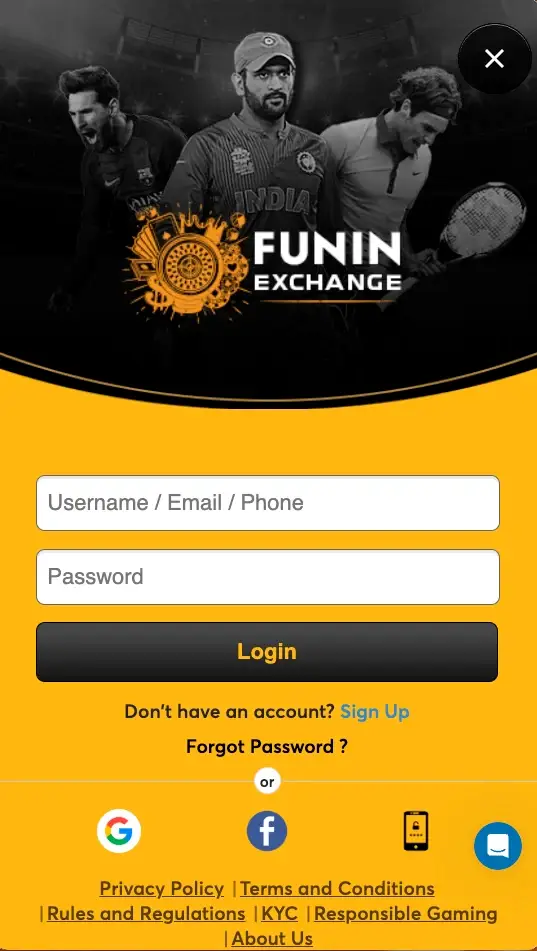
The Funny Exchange Login process allows registered users to access their accounts through the platform website using their registered login credentials. A simple login interface can make account access more convenient for users who want to explore available platform features, review account information, and navigate different sections.
Whether you are accessing Funny Exchange from a desktop computer or an Android smartphone, it is important to use the verified website and follow the recommended account security practices. Understanding the login process can also help users avoid common sign-in problems.
How to Login to Funny Exchange?
Users who already have an eligible registered account can follow these general steps to understand the Funny Exchange Login process.
Visit the Official Website: Open your preferred browser and access the verified Funny Exchange website.
Find the Login Option: Locate the Login button available on the homepage.
Enter Your Credentials: Provide your registered username, mobile number, or other required login details.
Enter Your Password: Type your account password carefully.
Complete Verification: Follow any additional security verification instructions if requested.
Access Your Account: Submit the login information to proceed if your credentials are valid.
Funny Exchange Login on Mobile Devices
Funny Exchange users can access the website through compatible smartphones and mobile browsers. The mobile browsing experience may depend on internet connectivity, browser settings, and device compatibility.
For a smoother experience, consider these suggestions:
Use an updated mobile browser.
Maintain a stable internet connection.
Enter your login credentials carefully.
Avoid using public Wi-Fi for sensitive account activities.
Never save passwords on shared devices.
Always log out after using a public or shared computer.
How to Recover a Forgotten Funny Exchange Password?
Forgetting a password can prevent users from accessing their accounts. If you experience this problem, look for the password recovery option on the verified login page.
Follow the official recovery instructions, complete any required identity verification, and create a strong new password if the recovery process is available. Never share your OTP or password with anyone claiming to provide unofficial account recovery assistance.
Common Funny Exchange Login Problems and Solutions
Login Problem | Possible Solution |
|---|---|
Incorrect Password | Check your password and try again carefully. |
Username Error | Verify your registered login details. |
OTP Not Received | Check network connectivity and wait before requesting another OTP. |
Website Not Loading | Refresh the page or try an updated browser. |
Account Access Issue | Follow the official account recovery or support process. |
Tips for Secure Funny Exchange Account Access
Account security is important whenever you use an online platform. Choose a strong and unique password, avoid sharing login credentials, and do not click suspicious login links. Always check the website address before entering personal information.
Online Games and Entertainment Options on Funny Exchange
Funny Exchange provides an online platform experience where users can explore different entertainment categories and interactive features through a digital interface. The platform is designed to make navigation convenient, allowing visitors to browse available sections and learn about the entertainment options offered through the website.
Users searching for Funny Exchange Online Games often want to understand the available categories, platform accessibility, and overall browsing experience. Before accessing any entertainment service, visitors should review the platform rules, eligibility requirements, and applicable local regulations.
Different Entertainment Options on Funny Exchange
The entertainment categories available on Funny Exchange may vary depending on the platform’s current services. Some commonly discussed online entertainment categories include:
1. Sports-Related Entertainment
Sports-related sections may provide information about different sporting events, competitions, and related interactive features. Users interested in sports should review the available information and understand the applicable platform rules.
2. Live Entertainment Features
Live entertainment sections may offer interactive experiences and regularly updated information. Availability and functionality depend on the services supported by the platform.
3. Online Casino-Style Games
Some online entertainment platforms include casino-style game categories. Users should carefully review the relevant rules, age restrictions, and local legal requirements before accessing such services.
4. Interactive Digital Games
Interactive games provide digital entertainment through different interfaces and gameplay formats. Their availability may depend on the platform and supported devices.
Funny Exchange Platform Features for Entertainment
Funny Exchange focuses on providing a convenient browsing experience through different website sections. Some features users may want to explore include:
Simple Navigation: Organized sections help visitors browse available entertainment categories.
Mobile Accessibility: Compatible smartphones and browsers can provide convenient website access.
User Account Options: Registered users may access available account-related features.
Responsive Interface: Website layouts may adjust according to different screen sizes.
Customer Assistance: Available support channels may help with general platform questions.
How to Explore Entertainment Options on Funny Exchange
Visitors can start by opening the verified Funny Exchange website through a secure browser. They can review the available categories, read the relevant descriptions, and check the terms associated with each service.
Users should avoid accessing suspicious third-party links or downloading unverified applications. It is also important to understand that online games involving money can carry financial risks and do not guarantee winnings or profits.
Tips for a Responsible Entertainment Experience
Review platform terms and conditions before accessing services.
Follow applicable age restrictions and local laws.
Never share passwords or OTPs with unknown individuals.
Set personal spending limits where applicable.
Avoid chasing financial losses.
Take breaks and treat online entertainment as recreation.
Funny Exchange Mobile Compatibility and User-Friendly Interface
Funny Exchange focuses on providing an accessible browsing experience across different devices, including smartphones, tablets, and desktop computers. A user-friendly interface makes it easier for visitors to explore website sections, understand available features, and access account-related options without unnecessary complications.
Users searching for Funny Exchange Mobile Compatibility often want to know whether the platform works smoothly on Android devices, iPhones, tablets, and desktop browsers. Device compatibility, internet connectivity, and browser performance can all influence the overall experience.
Funny Exchange Mobile Compatibility
Mobile accessibility is an important consideration for modern online platforms. Users may prefer accessing Funny Exchange through their smartphones because mobile browsing offers flexibility and convenience.
Some important mobile compatibility considerations include:
Android Devices: Users can access the website through compatible Android smartphones and updated browsers.
iOS Compatibility: iPhone and iPad users can check website accessibility through supported mobile browsers.
Tablet Support: A responsive layout can make browsing convenient on larger touchscreen devices.
Browser Compatibility: Updated browsers generally provide better website performance and security.
Internet Connectivity: A stable internet connection helps pages load properly and reduces interruptions.
User-Friendly Interface and Navigation
The Funny Exchange interface should make it easier for visitors to find relevant information and navigate different website sections. A properly organized layout improves accessibility and helps users understand the available options.
Some useful interface elements include:
1. Simple Homepage Layout
A clearly organized homepage helps visitors identify important sections without spending too much time searching for information.
2. Easy Navigation Menu
Well-arranged navigation menus allow users to move between different website pages, including login, registration, features, and customer support.
3. Mobile-Friendly Design
A responsive website layout adjusts according to different screen sizes, making text, menus, and other elements easier to view.
4. Convenient Account Access
Clearly visible login and registration options help users find account-related pages more easily.
5. Fast Page Loading
Optimized images, lightweight website elements, and efficient page structures can contribute to better loading performance.
Tips for a Better Funny Exchange Mobile Experience
Users can follow these simple suggestions to improve their browsing experience:
Keep your smartphone operating system updated.
Use a modern and secure internet browser.
Maintain a stable internet connection.
Clear browser cache if pages are not loading correctly.
Avoid installing applications from unknown sources.
Use a secure network when accessing account information.
Common Mobile Compatibility Problems
Common Issue | Suggested Solution |
|---|---|
Website Not Loading | Check your internet connection and refresh the page. |
Slow Page Performance | Close unnecessary background applications. |
Display Problems | Update your browser or adjust display settings. |
Login Page Not Opening | Clear browser cache and try again. |
Navigation Issues | Use an updated browser and reload the website. |
Account Security and Privacy Protection on Funny Exchange
Funny Exchange users should always access the platform through a verified website and carefully review its privacy policy and security guidelines before sharing personal details. Understanding how account information is handled can also help users make informed decisions.
Important Account Security Features
A secure online experience depends on several important security practices and available account protection options.
1. Strong Password Protection
Users should create strong and unique passwords for their Funny Exchange accounts. Avoid using common passwords, birthdays, or easily identifiable personal information. A combination of uppercase letters, lowercase letters, numbers, and special characters can improve password strength.
2. Account Verification
If the platform provides an account verification process, users should follow the official instructions. Verification can help establish account ownership and support account recovery when necessary.
3. Secure Login Process
Always access Funny Exchange through the verified website. Avoid entering login credentials on suspicious websites, unknown links, or unofficial applications.
4. Personal Information Protection
Users should avoid sharing sensitive information with unknown individuals. Never disclose passwords, OTPs, or confidential account details through unofficial communication channels.
5. Regular Account Monitoring
Review available account activity and transaction records regularly. If you notice unfamiliar activity, follow the official security or support procedures immediately.
How to Protect Your Funny Exchange Account
Maintaining account security requires attention from users as well as appropriate platform protections. Consider these practical suggestions:
Use a strong and unique password.
Never share your login credentials with anyone.
Avoid accessing accounts through public or shared devices.
Do not click suspicious emails or messages.
Keep your smartphone and browser updated.
Use secure internet connections when accessing your account.
Log out after using a shared computer.
Contact verified support if you notice suspicious account activity.
Funny Exchange Privacy Protection
Privacy protection involves understanding how personal information is collected, processed, stored, and potentially shared. Before registering on Funny Exchange, users should carefully review the available Privacy Policy.
Important privacy-related areas to check include:
Personal Information: Understand what information is requested during registration.
Data Usage: Review how collected information may be used.
Cookies: Check whether the website uses cookies or similar technologies.
Data Sharing: Understand whether information may be shared with third-party service providers.
User Rights: Review available options for accessing, correcting, or requesting deletion of personal information.
Common Account Security Mistakes to Avoid
Security Mistake | Recommended Action |
|---|---|
Using Weak Passwords | Create a strong and unique password. |
Sharing OTPs | Keep verification codes private. |
Clicking Unknown Links | Visit only verified website addresses. |
Using Public Wi-Fi | Prefer a trusted and secure connection. |
Ignoring Account Alerts | Review unexpected account notifications. |
Installing Unknown APKs | Download applications only from verified sources. |
What to Do If You Notice Suspicious Activity?
If you notice unfamiliar login attempts, unexpected account changes, or suspicious transactions, take immediate precautions. Change your password through the verified website if possible and contact the platform’s official support team. If payment information may have been compromised, contact your bank or payment provider through its official communication channel.
Common Funny Exchange Login and Download Issues
While accessing Funny Exchange, users may sometimes experience login errors, website loading problems, APK download interruptions, or mobile compatibility issues. These problems can occur because of incorrect account details, unstable internet connections, outdated browsers, or device-related settings.
Understanding common Funny Exchange Login and Download Issues can help users identify possible causes and find appropriate solutions. Before troubleshooting, make sure you are visiting the verified website and using a secure internet connection.
1. Funny Exchange Login Not Working
Sometimes users cannot access their accounts because of incorrect login credentials or temporary technical problems.
Possible solutions:
Double-check your registered username or mobile number.
Make sure your password is entered correctly.
Check your internet connection.
Refresh the login page and try again.
Follow the official password recovery process if necessary.
2. Funny Exchange Password Incorrect
Entering an incorrect password can prevent successful account access. This may happen because of typing mistakes, incorrect capitalization, or forgotten login details.
Possible solutions:
Carefully re-enter your password.
Check whether Caps Lock is enabled.
Use the official password recovery option if available.
Create a strong replacement password through the verified recovery process.
3. Funny Exchange APK Download Failed
Users may experience interruptions while downloading the Funny Exchange APK on Android devices. These issues can be related to network connectivity, insufficient storage, or unavailable download files.
Possible solutions:
Check your internet connection.
Make sure your device has enough storage space.
Verify that the download source is authentic.
Check Android compatibility requirements.
Avoid downloading modified or unverified APK files.
4. Funny Exchange Website Not Opening
Sometimes the Funny Exchange website may not load properly on a smartphone or computer.
Possible solutions:
Refresh the webpage.
Check your internet connection.
Try an updated browser.
Clear temporary browser cache if necessary.
Verify that the website address is correct.
5. OTP Verification Problems
Some account-related processes may require OTP verification. Users might experience delays or fail to receive verification messages.
Possible solutions:
Check whether your registered mobile number is correct.
Verify your mobile network connection.
Check your message inbox.
Wait briefly before requesting another OTP.
Contact verified support if the issue continues.
6. Funny Exchange App Installation Problems
Android users may sometimes face installation errors when attempting to install an APK file.
Possible solutions:
Check the Android version supported by the application.
Confirm that sufficient storage is available.
Verify the APK file source and integrity.
Review application permissions before installation.
Do not disable security protections to install an unknown application.
Common Funny Exchange Problems and Solutions
Common Issue | Possible Reason | Suggested Solution |
|---|---|---|
Login Failed | Incorrect credentials | Verify your login details |
Password Error | Forgotten password | Use official recovery options |
APK Download Failed | Network interruption | Check internet connectivity |
Website Not Loading | Browser issue | Update or refresh your browser |
OTP Not Received | Network or verification delay | Check your registered number |
Installation Failed | Device incompatibility | Review Android requirements |
Slow Website | Poor connectivity | Try a stable internet connection |
Tips to Avoid Funny Exchange Technical Issues
Following a few basic precautions can help users avoid common technical difficulties:
Always use the verified Funny Exchange website.
Keep your mobile browser updated.
Maintain sufficient device storage.
Use a reliable internet connection.
Avoid third-party APK download sources.
Keep your account credentials private.
Review official platform announcements for maintenance information.
When Should You Contact Funny Exchange Customer Support?
If login, registration, or download problems continue after basic troubleshooting, users should consider contacting the platform through its verified customer support channels.
Before requesting assistance, prepare a clear description of the issue and any relevant error messages. Never share your password, OTP, or other confidential account information with anyone claiming to provide technical support.
Funny Exchange Customer Support and Assistance
Funny Exchange Customer Support is an important part of the overall platform experience. Users may sometimes need assistance with account registration, login difficulties, website navigation, mobile compatibility, or other technical concerns. Having access to clear support information can help users understand where to find assistance and how to report problems.
Whether someone is a new visitor or an existing user, understanding the available Funny Exchange Support options can make it easier to resolve general questions. Users should always communicate through verified support channels listed on the official website.
Customer Support Services on Funny Exchange
Users may need assistance with different platform-related concerns. Some common support categories include:
1. Account Registration Assistance
New users may have questions about registration requirements, account creation, and verification procedures. Support information can help them understand the official registration guidelines.
2. Funny Exchange Login Support
Users experiencing login difficulties may need help understanding incorrect password errors, account verification, or password recovery procedures.
3. APK Download and Installation Support
Android users may experience download interruptions or application installation errors. Technical assistance can help identify possible compatibility or installation problems.
4. Payment and Transaction Queries
Users with payment-related questions should review the applicable transaction policies and use verified support channels for assistance. Always maintain relevant transaction records.
5. Technical Assistance
Website loading problems, browser compatibility issues, and navigation difficulties are common technical concerns that may require additional guidance.
How to Contact Funny Exchange Customer Support
Users looking for assistance should follow these general steps:
Visit the verified Funny Exchange website.
Look for the Contact Us or Customer Support section.
Review the available communication methods.
Select the appropriate support channel.
Explain your issue clearly and provide relevant non-sensitive details.
Follow the official instructions provided by the support team.
Information to Prepare Before Contacting Support
To make a support request easier to understand, users can prepare the following information:
A brief description of the problem.
The relevant error message, if available.
The device and browser being used.
The approximate time when the issue occurred.
Relevant transaction references, if applicable.
Never share passwords, OTPs, banking PINs, or other confidential security information with anyone claiming to represent customer support.
Tips for a Better Customer Support Experience
Always use verified communication channels.
Explain your problem in simple and clear language.
Avoid sending unnecessary personal information.
Keep relevant transaction records when reporting payment issues.
Follow official troubleshooting instructions.
Be cautious of fake customer support accounts and suspicious links.
Common Reasons to Contact Funny Exchange Support
Support Category | Common User Query |
|---|---|
Account Registration | How can I understand the registration process? |
Login Assistance | Why am I unable to access my account? |
APK Download | Why is the application download failing? |
Technical Support | Why is the website not loading? |
Payment Queries | Where can I find transaction information? |
Account Security | What should I do about suspicious account activity? |
Funny Exchange (FAQs)
What Is Funny Exchange?
Funny Exchange is an online platform that provides access to digital entertainment and various interactive features. Users can explore its website, learn about available services, and review account-related information.
How Can I Download Funny Exchange APK?
Visit the verified Funny Exchange website and check whether an official Android application is available. Review the device requirements and download the application only from a trusted source.
Is Funny Exchange Available for Android?
Users can access the Funny Exchange website through compatible Android smartphones and mobile browsers. APK availability and Android application compatibility should be confirmed through the verified website.
How Can I Register on Funny Exchange?
Visit the verified website and find the registration option. Follow the displayed instructions, provide the required information, complete any necessary verification, and review the applicable terms before creating an account.
Can I Use Funny Exchange on Multiple Devices?
Website accessibility across multiple devices depends on platform compatibility and account policies. Users should review the official terms and avoid sharing their login credentials with other people.